
Package Checklist
Before installation, confirm that the bundle includes:
- 2 Uniarch IP Cameras
- 1 NVR
- 1 10 ft Ethernet cable
- 2 50 ft Ethernet cables
Camera Installation
- Confirm that all items in the checklist are available before starting the installation.
- Connect the Ethernet cable to the camera.
- Connect the other end of the Ethernet cable to one of the PoE ports at the back of the NVR.
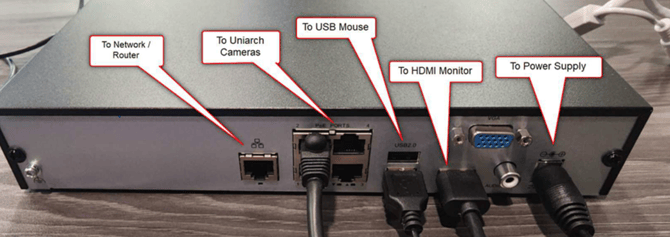
- Repeat the same process for the second camera.
Once the cameras are connected to power through the NVR, they will begin recording.
Internet Connection
An internet connection is not required for the cameras to record locally.
However, for remote viewing, the NVR must be connected to the internet using a hardline connection or OptConnect. This allows the Panoptyc team to remotely view and investigate footage when needed.
Uniview Account Setup
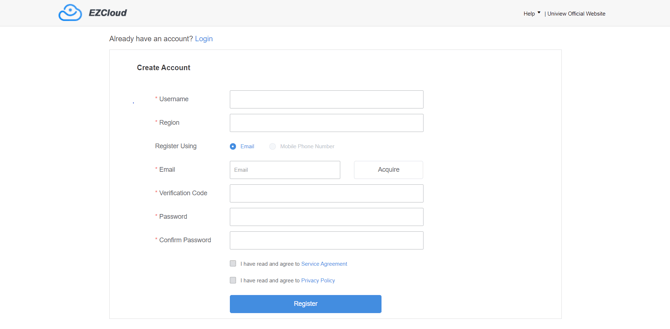
- Create your Uniview account here.
- Once the account is created, share the username with Panoptyc.
- Panoptyc Support will add the devices to your account for remote viewing access.
You may contact Panoptyc Support at:
Email: support@panoptyc.com
Phone: (313) 425-5765