
Replacing Mini PC With NVR/Bullet Cam for Local Monitor
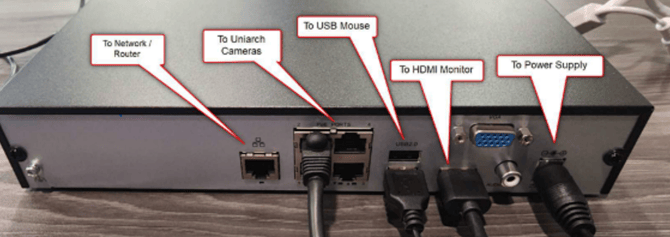
- Unbox and plug your NVR into power.
- Using the included ethernet cable, connect the bullet camera to one of the ports on the NVR.
- Mount your camera(s) wherever they should be installed (above the kiosk)
- Next, connect your monitor to the NVR by connecting an HDMI to both the Monitor and the back of the NVR. The camera feed should now be visible on the monitor along with a language selection prompt.
- Connect the included mouse to your NVR using the USB ports on the back of the NVR. a. Click OK on the Language Selection prompt
- Login under “admin” with the password “123456”
- Click “Close”
- Click “Exit” then “yes”.
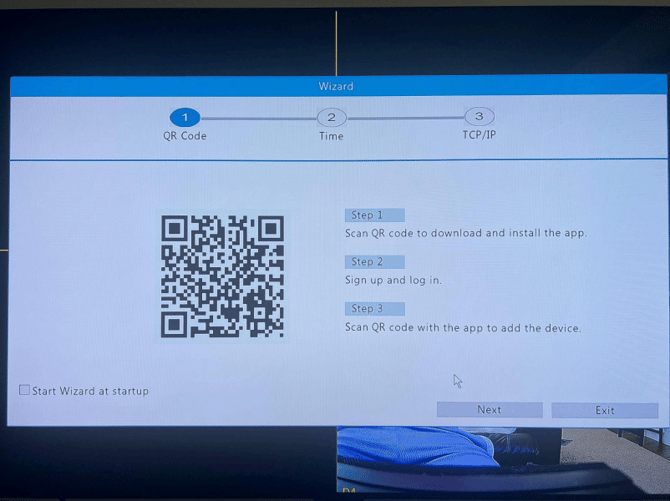
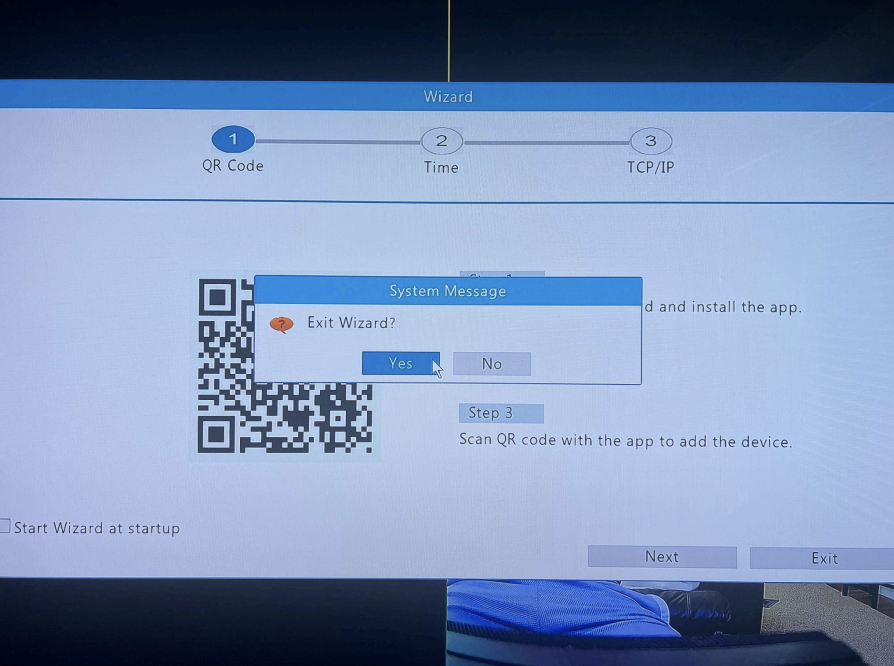
- You should see the default 4 camera video wall. To make your camera fullscreen, right click and navigate the following prompts: “window switch”, “single camera”, and select your camera (IP Camera 01-04).
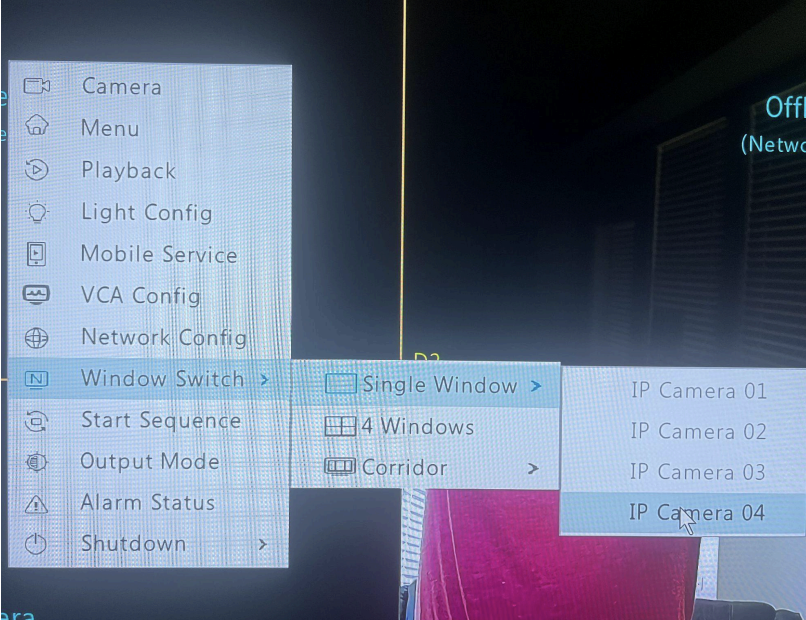
- You should now have the camera feed fullscreen on your monitor and are good to go.